Sketching melodies, basslines, drum ideas and utility patterns directly into a visual instrument.

VST3WINDOWS STANDALONE$1030-DAY TRIAL
Visual MIDI instrument
MIDIUM
Draw MIDI. Shape ideas directly.
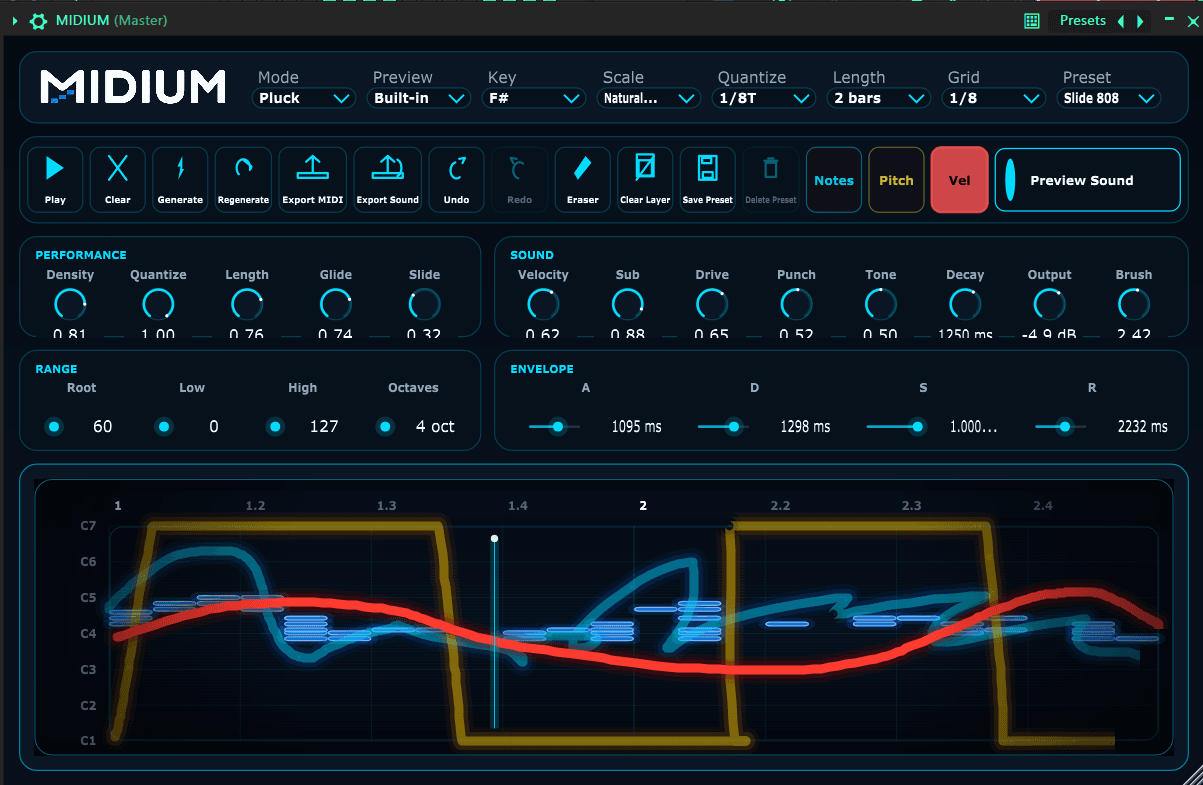
Draw pitch, rhythm and velocity as a gesture, then refine the result with scale locking, quantization and export tools built for fast DAW work.
30-day trial and license key workflow.
Free to try for 30 days, then enter a license key to keep using it. One $10 purchase unlocks MIDIUM VST3 for compatible DAWs plus the Windows standalone app.
Product direction
A visual MIDI workflow for getting ideas out faster.
MIDIUM turns drawing into MIDI generation, making pitch, rhythm and velocity feel more like a gesture than a spreadsheet of notes.
Draw the gesture, refine scale and timing, then export or drag the MIDI into the DAW.
Beta available with Windows standalone and VST3 package.
Interface demonstration
The workflow in motion.
MIDIUM is a visual MIDI instrument that lets you create melodies, basslines, drums and patterns by drawing them instead of placing every note individually.
Core features
- Gesture-based MIDI generation
- Melodies, basslines, drum patterns and utility sketches
- Scale locking and quantization
- Velocity drawing and pattern length controls
- MIDI drag-and-drop/export workflow
Compatibility
- VST3 compatible hosts
- Windows standalone application
- MIDI export for DAW workflows
Installation
- Download the free 30-day trial package from Lemon Squeezy.
- Run MIDIUM.exe for the Windows standalone app or copy MIDIUM.vst3 to your DAW's VST3 plugin folder.
- Rescan plugins in your DAW, then open MIDIUM as an instrument.
- After the trial, enter your license key to keep using MIDIUM standalone and VST3.
Current version
0.1.0 beta
- Beta package prepared with VST3 plugin and Windows standalone app.
- Drawing workflow for pitch, rhythm and velocity.
- Scale locking, quantize values and MIDI export.
Changelog
0.1.0 beta
- Beta package prepared with VST3 plugin and Windows standalone app.
- Drawing workflow for pitch, rhythm and velocity.
- Scale locking, quantize values and MIDI export.
30-day trial
$10 license key.
Try MIDIUM free for 30 days. A license key keeps the standalone app and VST3 plugin unlocked after the trial.
Known beta limitations
- The standalone app is Windows-only for now.
- Preset and host compatibility may change during beta.
- The license flow is being introduced during the public beta.